Create Crowdfunding
Crowdfunding is a public sale: any address can participate in it, or, if a whitelist is set, only addresses from it. This is what distinguishes Crowdfunding from an address-specific Private Offer, available to one particular buyer.
To raise funds for the DAO, launch a Crowdfunding:
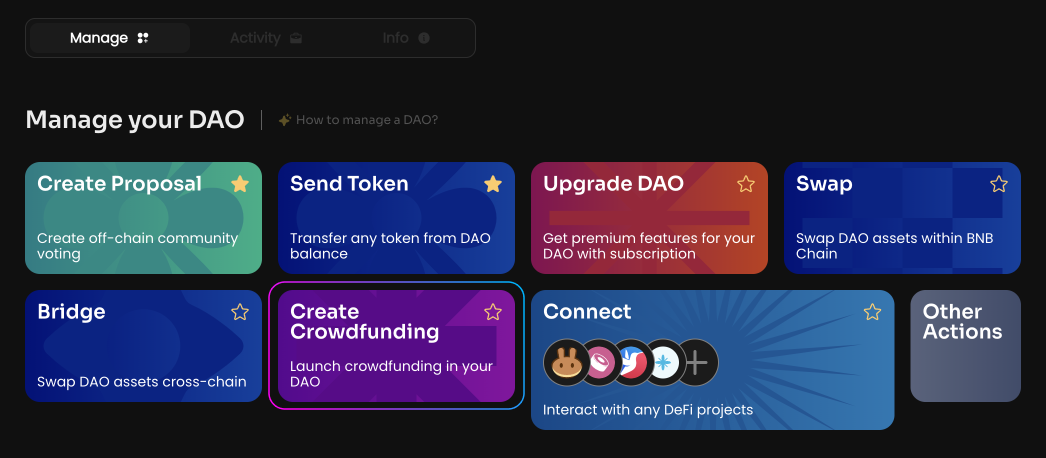
Click Create Crowdfunding on the Manage page in your DAO.
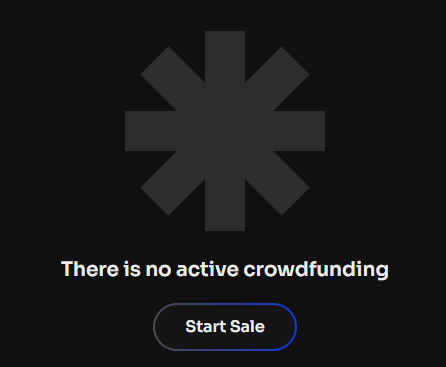
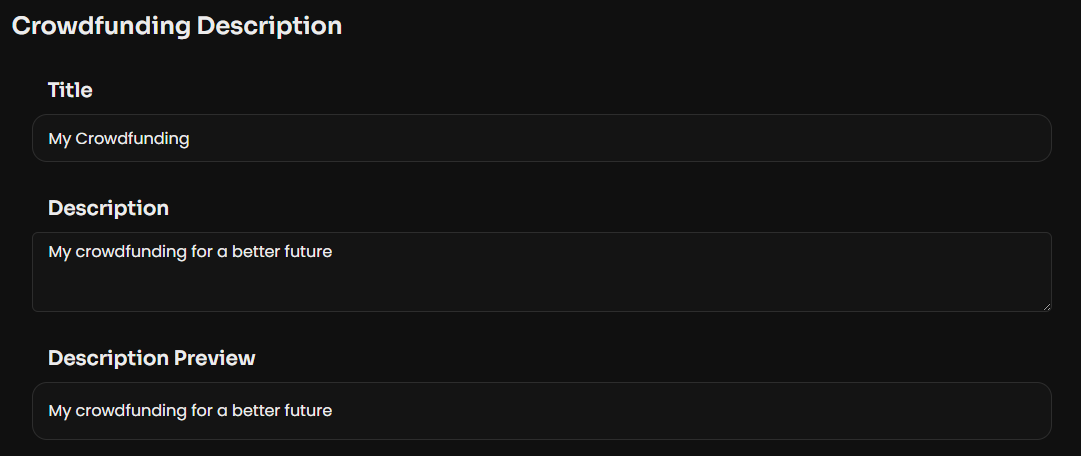
Specify the Title and Description for your Crowdfunding.
Then, click Next Step and sign the message in your wallet.
Set up the Crowdfunding settings:
-
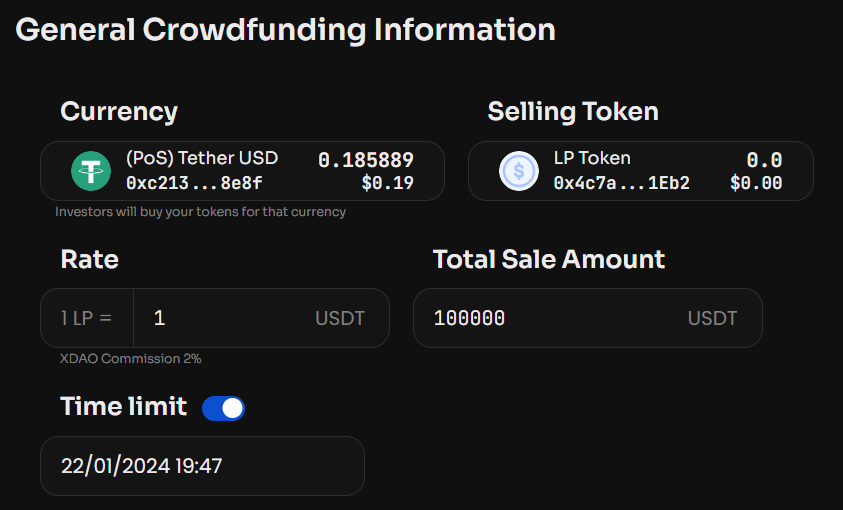
Currency — select a token from the list or specify its smart contract, which you will accept as payment;
-
Selling Token — select a token from the list or specify its smart contract, which you will sell to investors, for example an LP token;
-
Rate — specify the price of the token being sold;
-
Total Sale Amount — specify the maximum amount to be raised.
If needed, you can specify a Time limit — the date and time when the Crowdfunding will end.
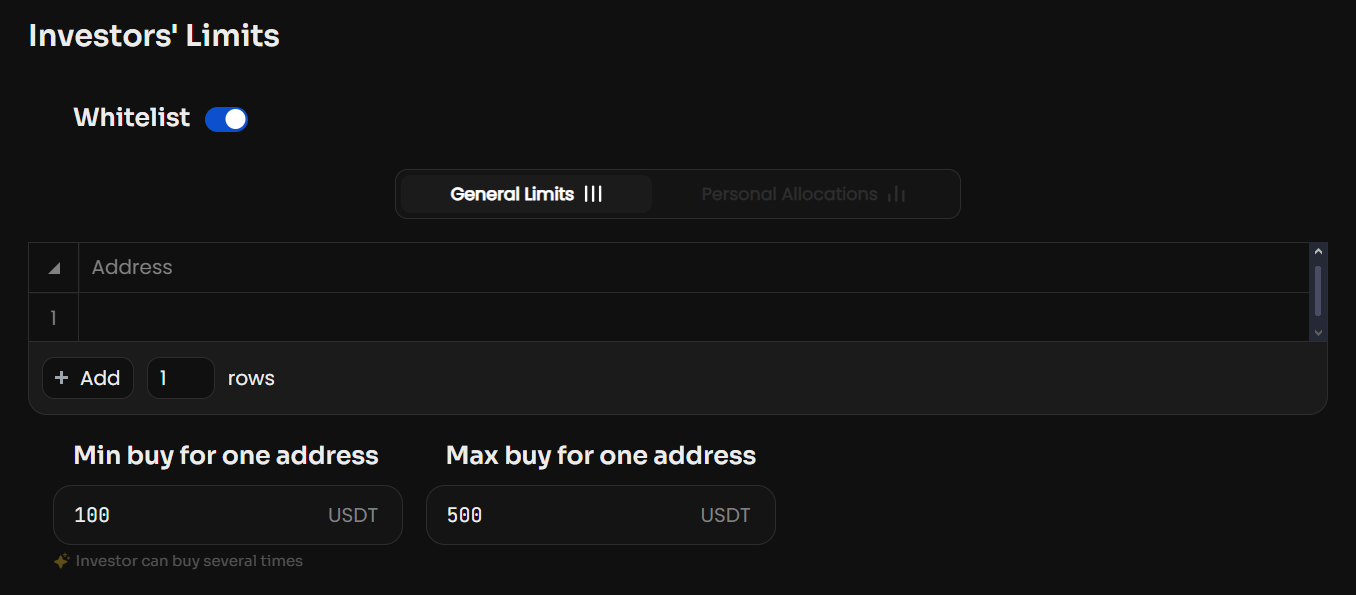
Specify Min and Max buy for one address — the minimum and maximum allocation for one address. If needed, you can specify a Whitelist — then only addresses from this list will be able to participate in the Crowdfunding, and you can also set a personal allocation for them.
If needed, specify Vesting for the tokens being sold. Vesting is the gradual unlocking of purchased tokens: the investor does not receive them all at once, but in portions over a set period. Select the start and end date and time of the Vesting.
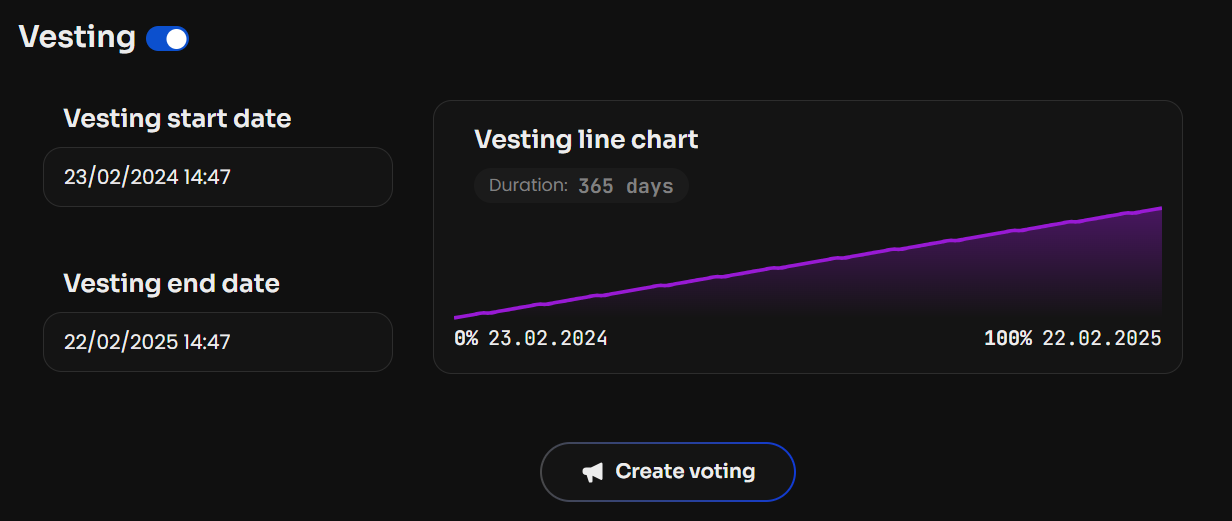
After setting all the necessary Crowdfunding parameters, click Create voting. Once the vote is activated, the Crowdfunding will be launched.
See also: how a member buys LP tokens.